

A teacher at one of the international schools I consult for sent me a message last month.
She teaches IB English and Theory of Knowledge across Grades 11 and 12.
Her Head of School had just announced: "Every department needs to redesign at least three units to meaningfully integrate AI by the end of this semester."
Timeline: ten weeks. While still teaching full-time.
She had a ChatGPT account, a Google Drive full of unit planners, and zero guidance on what "meaningfully integrate AI" actually means.
Her first instinct was to open ChatGPT and type: "Create an AI-integrated unit plan for IB English."
She got back 1,500 words of generic suggestions that could have come from any education blog in 2023. "Use AI for brainstorming." "Have students fact-check AI outputs." Nothing she could actually build a unit around.
If you've done that and felt the disappointment, you're not alone. You just haven't set up the system yet.
The problem with how most people use AI for instructional design
Here's what I see constantly: instructional designers treat AI like a content vending machine. Drop in a topic, get back a wall of text, copy it into a slide deck, ship it.
The output looks professional. It reads fine. And it teaches almost nothing.
Because content is not learning. Never was.
Learning happens when someone makes a decision, gets feedback, adjusts, and tries again. Content is just the raw material. The design is what turns raw material into behavior change.
AI can't do that design work for you. But it can do something better.
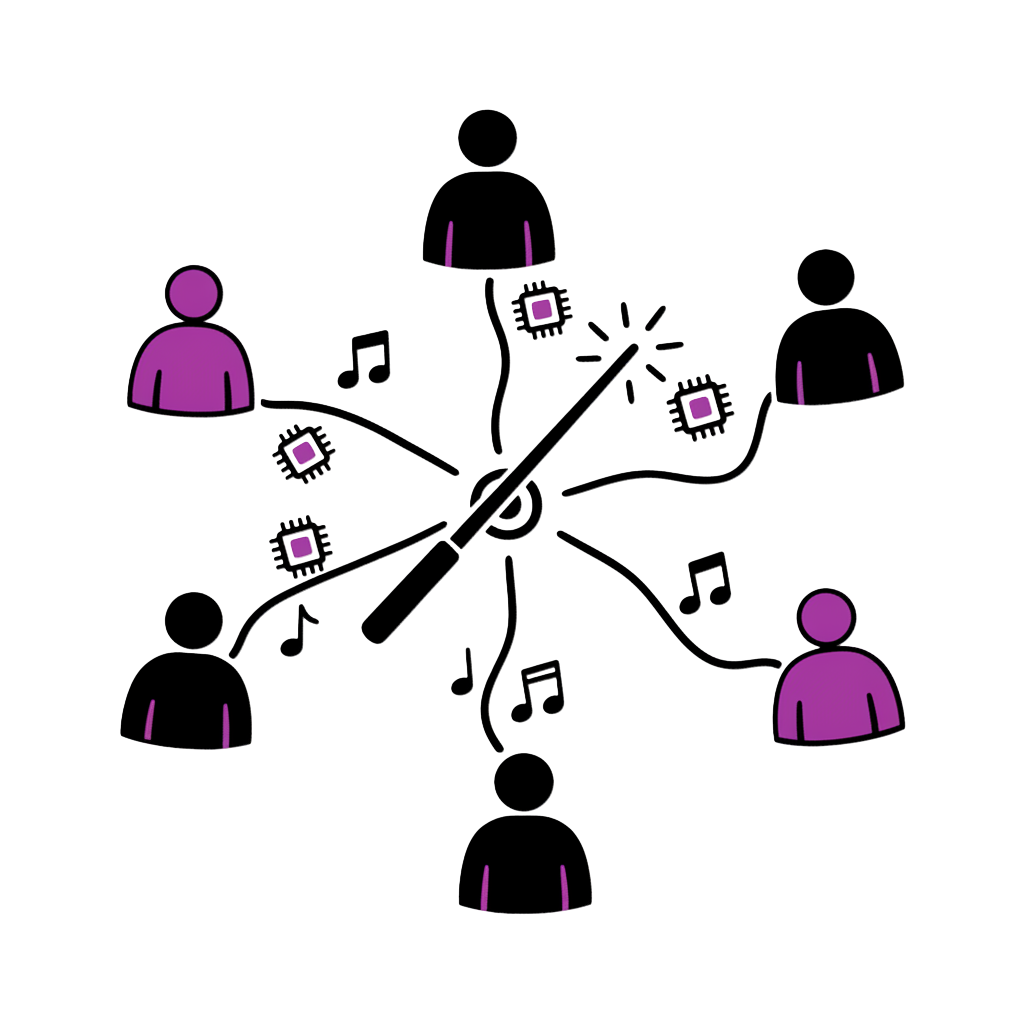
It can act as a team of five specialists that you direct, challenge, and refine until the output is field-ready.
That's what this article builds.
Who this is for
This playbook works whether you're a solo ID at a startup, an L&D lead at a multinational, or an educator designing your own course material. The prompts work in ChatGPT, Claude, Gemini, Grok, or any capable LLM. The system works everywhere.
The 2026 reality: systematize or get replaced
In 2026, being a strong instructional designer is no longer just about knowing ADDIE or writing learning objectives.
It's about being able to:
- Diagnose performance problems fast
- Prototype learning experiences rapidly
- Generate and test content variations at scale
- Prove impact with credible evaluation loops
AI lets you do all four — if you stop using it like a one-shot content generator and start using it like a team of specialized roles.
"Write me a course on leadership."
Result: Generic content blob. No learner analysis. No practice design. No evaluation. Looks done. Teaches nothing.
Five specialized AI roles, run in sequence, with pushback loops that sharpen each output.
Result: Analyzed gaps, structured learning flow, realistic scenarios, tested assessments, adoption plan.
The model: your 5-person AI team
You are going to build a five-person AI team that mirrors a modern instructional design delivery pipeline.
Each "person" is a role you assign to your AI. Each role has a specific mission, a set of prompts, and — critically — follow-up prompts that push back on weak outputs.
You run them in sequence, with a pushback loop that makes outputs sharper each iteration.
The rest of this article gives you everything you need: role definitions, exact prompts, follow-up prompts, and a 7-day sprint to execute the whole thing.
Step 0 — Your "ID North Star" (don't skip this)
Before AI does anything, you need a crisp outcome definition. Otherwise you'll ship "content," not learning.
This step is your equivalent of product-market fit. If you don't lock outcomes, you will build beautiful training that nobody needs.
The most common mistake
Skipping this step. Every ID who comes to me frustrated with AI outputs has the same root cause: they started generating content before defining what success looks like.
The 3 questions that anchor everything
Copy this into your AI:
Follow-up prompts (when the AI gets fuzzy)
These are the lines you type when the AI gives you vague, hand-wavy responses:
- "Stop. That's a learning activity, not an outcome. Rewrite as observable behavior."
- "What would a manager see a learner do differently?"
- "Give me 3 outcome options: conservative, realistic, aggressive."
These follow-up prompts are not optional. They're the difference between AI that wastes your time and AI that sharpens your thinking.
AI Employee #1 — The Learning Researcher
Mission: Discover the real performance gap, the constraints, and the learner reality — fast.
Most training fails because it solves the wrong problem. The Researcher role exists to make sure you don't build a beautiful course for a problem that isn't actually about knowledge.
Key distinction
Performance gaps have six root causes: skill, will, environment, process, incentives, and knowledge. Only the last one is solvable by training. Your Researcher's job is to figure out which one you're dealing with.
Prompt 1 — Learner Personas (fast, usable, not fluffy)
Follow-ups:
- "Make them more specific to real workflow tasks."
- "Add what they are currently doing instead of the desired behavior."
- "What would make each persona resist this training?"
That last follow-up is gold. Resistance is the variable most IDs ignore. If you don't design for resistance, you're designing for a fantasy learner.
Prompt 2 — Performance gap analysis
Follow-ups:
- "Which of these are not solvable by training?"
- "If we trained perfectly and nothing changed, what would be the likely root cause?"
- "Rank by highest business risk."
The second follow-up is the one that changes everything. It forces the AI (and you) to confront the possibility that training isn't the answer. Sometimes the answer is a better tool, a clearer process, or a different incentive structure. Finding that out before you build saves weeks.
Prompt 3 — Needs analysis interview questions
Follow-ups:
- "Rewrite these to reduce bias and leading questions."
- "Add 5 questions that uncover hidden incentives and workarounds."
Prompt 4 — Draft learning objectives
Follow-ups (critical):
- "These are still vague. Add conditions and criteria."
- "Rewrite objectives so they can be assessed via scenario decisions."
The "Ruthless Researcher" prompt
This is the prompt that separates competent IDs from elite ones:
This prompt is how you stop producing training that looks good in a deck and dies in the field.
AI Employee #2 — The Learning Strategist
Mission: Convert raw research into a learning system — experience, practice, feedback, reinforcement, evaluation.
This is the architecture role. The Researcher tells you what needs to change. The Strategist designs how the change happens.
The key concept: MVLP (Minimum Viable Learning Prototype)
Most IDs overbuild. They create 40 slides when 12 would teach more. They add animations when a decision point would be better. They polish fonts when the scenario needs rewriting.
In 2026, your superpower is to prototype the smallest thing that proves behavior change is possible.
MVLP thinking
Your MVLP is not a rough draft. It's the smallest complete learning experience that includes: a hook, one concept, guided practice, a decision point with consequences, feedback, and a transfer prompt. If it changes behavior at that scale, you scale it. If it doesn't, you iterate before wasting weeks on a full build.
Prompt 1 — Learning flow (experience map)
Follow-ups:
- "Cut seat time by 40% without losing practice quality."
- "Replace content with practice: what do learners do?"
- "Design for mobile-first microlearning version."
The first follow-up is the most important. AI will always give you a bloated learning flow because it optimizes for completeness, not effectiveness. Your job is to cut.
Prompt 2 — Storyboard outline (rapid)
Follow-ups:
- "Make screens fewer; increase decision points."
- "Make the storyboard align to one job task from start to finish."
Prompt 3 — Branching scenario architecture
Follow-ups (make it real):
- "Make distractor options more tempting and realistic."
- "Add consequences that reflect real organizational constraints."
- "Create a decision-tree table version."
That first follow-up is critical. Bad branching scenarios have one obviously correct answer and three silly ones. Real learning happens when all options look reasonable and the consequences reveal the principle.
Prompt 4 — Visual and multimedia plan
Follow-ups:
- "Replace any gimmicky interaction with a practice-based interaction."
- "Give 3 low-cost production options."
AI Employee #3 — The Learning Writer
Mission: Turn your design into words that teach, practice that sticks, and feedback that corrects.
This is where most people start with AI. That's why most people get bad results. The Writer role only works well when it has a Researcher and Strategist feeding it the right inputs.
Think of it this way: a screenwriter doesn't start typing dialogue on day one. They spend weeks on the story structure. The dialogue is the last thing that gets written.
Same principle here.
Prompt 1 — Intro script that motivates completion
Follow-ups:
- "Make it less corporate and more conversational."
- "Add a mistake-cost story — what goes wrong if you don't learn this."
Prompt 2 — Assessment items with explanations
Follow-ups (raise quality):
- "Make 3 questions scenario-based (mini vignettes)."
- "Increase difficulty: test application, not recall."
- "Remove any question that can be guessed without understanding."
That last follow-up eliminates the "pick the longest answer" problem. AI-generated MCQs often have one answer that's noticeably more detailed than the others. Learners learn to game the format instead of learning the content.
Prompt 3 — Dialogue for scenario realism
Follow-ups:
- "Make it sound like real people — shorter sentences, interruptions."
- "Add 2 culturally inclusive alternatives (tone variations)."
Prompt 4 — Feedback per choice (the behavior-change engine)
Follow-ups:
- "Make feedback less judgmental and more coaching-oriented."
- "Add a 'why this is tempting' note for wrong choices."
That second follow-up is the one learners remember. When feedback acknowledges why a wrong choice seemed right, it builds trust and deepens understanding. "You chose this because..." is more powerful than "This is wrong because..."
AI Employee #4 — The Learning Builder
Mission: Turn storyboard into a clickable prototype. Fast. Not perfect. Testable.
This is where you stop being "an ID who writes docs" and become an ID who ships experiences.
Builder mindset
The Builder's job is not to produce a final product. It's to produce something a learner can click through in 10 minutes so you can watch their face and see where they get confused, bored, or stuck. That 10-minute test is worth more than 10 hours of design review meetings.
The Builder system prompt
Follow-ups:
- "Reduce build complexity: what can be replaced by text + simple buttons?"
- "Create an asset checklist: icons, images, audio, typography, colors."
- "Create a version that works even if we can't track xAPI."
What "vibe-coding" means for IDs in 2026
If you can describe what you want, AI can build interactive prototypes directly. You don't need to be a developer. You need to be specific about:
- What the learner sees on each screen
- What they click or type
- What happens after each choice
- What the feedback says
That's instructional design. The code is just the delivery mechanism.
AI Employee #5 — The Learning Marketer
Mission: Get people to start, complete, and apply what they learned.
This might be the most overlooked role in the entire pipeline.
Most training fails not because the content is wrong, but because adoption and reinforcement weren't designed. Your Learning Marketer is not selling snake oil. It's designing behavioral uptake — the organizational conditions that make learning stick.
The adoption gap
The average corporate training completion rate is below 30%. Not because the training is bad. Because nobody designed the communication, the manager reinforcement, or the "what's in it for me" hook. The Marketer role fixes this.
Prompt 1 — Course announcement
Follow-ups:
- "Write 3 tones: formal, friendly, high-urgency."
- "Add one line addressing the learner's biggest objection."
Prompt 2 — Course description (under 150 words)
Follow-ups:
- "Rewrite for skeptical learners who hate training."
- "Rewrite for managers who care about KPIs."
Prompt 3 — Reminder emails (completion nudges)
Follow-ups:
- "Shorten by 50%."
- "Add a one-click 'continue where you left off' CTA line."
Prompt 4 — Completion message (reinforcement)
The "do this today" part is the most important piece. A completion message without a transfer action is just a certificate. A completion message with a specific next action is a behavior trigger.
The Pushback Cycle (this is where you become elite)
AI will often give you "acceptable" outputs. You don't want acceptable. You want field-ready.
Here's the reality: the first output from any of these prompts will be about 60% of the way there. The follow-up prompts get you to 80%. The pushback cycle gets you to 95%.
That last 15% is what separates training that gets completed from training that changes behavior.
Pushback prompts you should memorize
Use these on every role output, in any order, as many times as needed:
| Pushback prompt | What it fixes |
|---|---|
| "Make it simpler without losing effectiveness." | Overbuilt, bloated designs |
| "Make it more realistic to the learner's day." | Academic examples that don't transfer |
| "Cut jargon. Replace with plain language." | Corporate-speak that loses attention |
| "Turn this into decisions and consequences." | Passive content that doesn't engage |
| "Show me 3 alternatives: conservative, bold, weird." | Getting stuck on the first idea |
| "Why will this fail in the real world?" | Optimism bias in the design |
| "What assumptions am I making that could be wrong?" | Blind spots |
| "What part of this is 'nice to know' vs 'need to do'?" | Content bloat |
The most powerful one is: "Why will this fail in the real world?"
Use it at every stage. After the Researcher produces personas. After the Strategist designs the flow. After the Writer creates assessments. After the Builder prototypes. After the Marketer writes the announcement.
Every time you ask it, you get better output. Every time.
Evaluation Loop (don't "launch and pray")
Your training isn't done when it ships. It's done when you have evidence that behavior changed.
Most IDs skip evaluation because it feels like extra work. But in 2026, evaluation is your competitive advantage. If you can show a stakeholder that your training measurably changed performance, you'll never have to justify your role again.
Prompt 1 — Post-training survey questions
Prompt 2 — Summarize learner feedback into themes
Paste your actual survey responses after this prompt. The AI will find patterns you'd miss reading comments one by one.
Prompt 3 — Stakeholder results summary
Prompt 4 — Recommend improvements
The 7-day execution sprint
If you want to go from reading this article to having a working prototype with an adoption plan, here's the sprint.
Outcome + Audience Lock
Run Step 0 "North Star Lock." Create 3 personas. Create performance gap map. Total time: 2-3 hours.
Needs Analysis + Constraints
Generate stakeholder interview questions. Produce "why this will fail" list and mitigations. Total time: 2 hours.
Architecture Draft (MVLP)
Generate learning flow table. Choose one job task as your "spine." Produce storyboard outline. Total time: 3 hours.
Scenario + Assessment
Build 3-decision-point branching scenario. Write feedback per choice. Generate 6 assessment questions with rationales. Total time: 3 hours.
Prototype Build
Build a clickable prototype (minimal). Prepare stakeholder review packet. Total time: 4 hours.
Adoption Layer
Course announcement and description. Reminder sequence. Manager reinforcement message. Total time: 2 hours.
Evaluation Setup
Survey questions. Simple results dashboard definition. Iteration plan. Total time: 2 hours.
Total time investment: roughly 18-20 hours across seven days. That's the equivalent of a few long afternoons to go from zero to a testable, adoptable learning experience.
The bigger picture: why this system works
This system works for the same reason agile software development works: it replaces a monolithic "build everything then launch" approach with tight iteration cycles and feedback loops.
AI Roles
Prompts
Pushback Patterns
Days to Prototype
The five roles are not arbitrary. They map to real pipeline stages that every successful instructional design project moves through:
- Analysis (Researcher) — What's the actual problem?
- Design (Strategist) — What's the smallest solution?
- Development (Writer + Builder) — Build it and make it real
- Implementation (Marketer) — Get people to use it
- Evaluation — Did it work? What's next?
Whether you call this ADDIE, SAM, or iterative prototyping, the stages are the same. The AI team just lets you move through them ten times faster than working alone.
Three truths to carry forward
Truth 1: AI is your team, not your replacement.
You're the creative director. The AI roles are your staff. You brief them, review their work, push back on weak outputs, and make the final call. The moment you stop directing and start accepting, the quality drops.
Truth 2: Follow-up prompts matter more than initial prompts.
The initial prompt gets you a starting point. The follow-up prompts get you a usable output. The pushback cycle gets you a field-ready deliverable. Never settle for the first response.
Truth 3: The best training is the smallest training that changes behavior.
Not the longest. Not the most comprehensive. Not the one with the best animations. The one where a learner makes a decision, gets feedback, and does something differently tomorrow.
Start now
You don't need to master all five roles today. Start with one.
Pick the role that matches your current bottleneck:
- Stuck on unclear requirements? Start with the Researcher.
- Have research but no structure? Start with the Strategist.
- Have a design but boring content? Start with the Writer.
- Have content but no prototype? Start with the Builder.
- Have a course but low completion? Start with the Marketer.
Open your AI tool. Paste the system prompt for that role. Run it on a real project. Push back on the output until it's genuinely useful.
Then come back and add the next role.
By the end of the week, you'll have a system that makes you faster, sharper, and more effective than any ID who's still using AI like a search engine.
That's not a prediction. It's what happens when you stop generating content and start designing learning.
This changed how I think about AI. Not one tool, but a team of specialized helpers. Genius framing.