

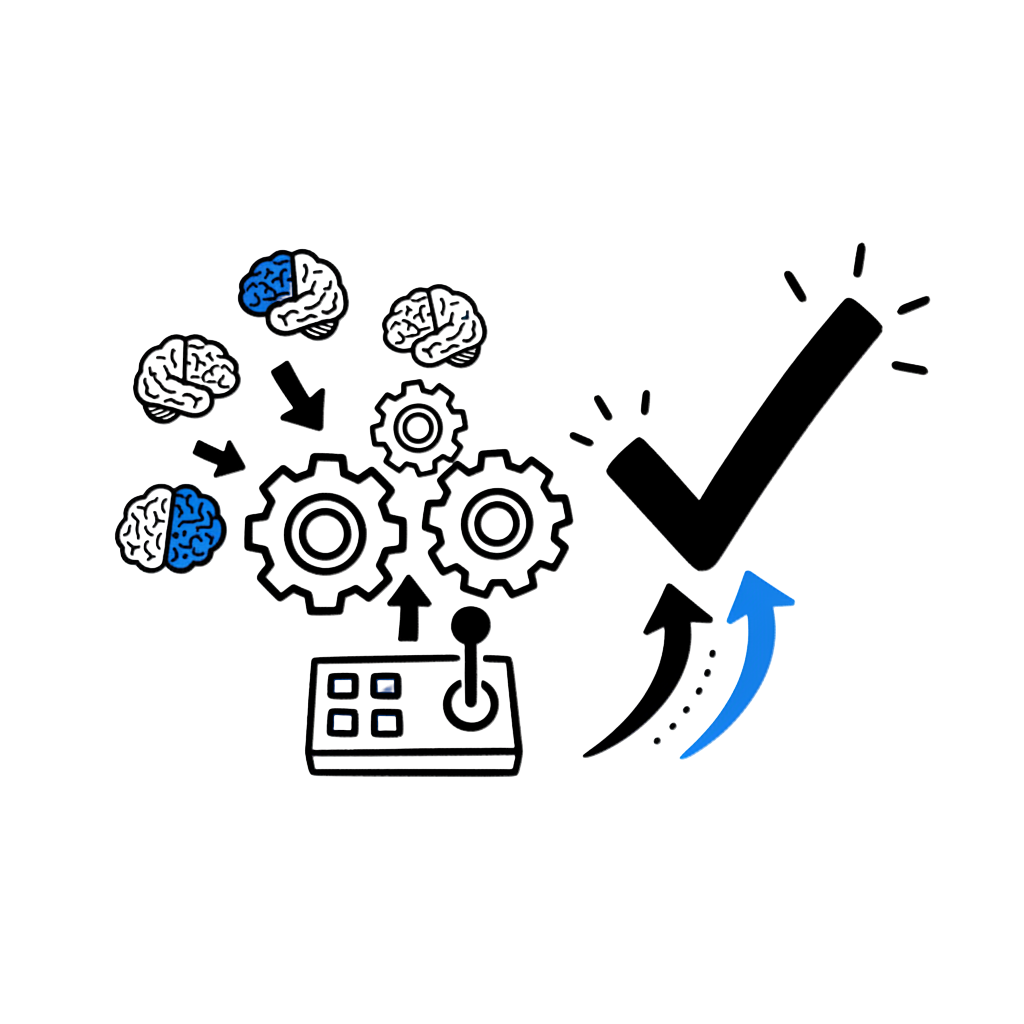
The Real Problem Isn't Your Prompts
A department head at an international school showed me something last term that stuck with me.
She'd spent an evening generating AI-powered retrieval questions for her Year 10 biology unit. Forty questions. Clean formatting. Multiple difficulty levels.
She was proud of it.
Then a colleague checked the set before it went to students.
Seven questions contained factual errors. Two referenced a study that doesn't exist. One used terminology from a university-level course that would confuse her students.
"I spent two hours generating content," she told me. "Then three hours fixing it. I would have been faster writing from scratch."
She wasn't doing anything wrong. Her prompts were fine.
Her workflow was the problem.
No verification step. No alignment check. No constraints on what the AI could invent. No reuse system so the fixes would carry forward.
She had a tool. She didn't have a protocol.
Why "Better Prompts" Won't Fix This
Every week, I see educators share prompt templates. "Use this for lesson plans." "Try this for rubrics." "Here's my magic prompt for differentiation."
And every week, the same failure modes repeat.
NIST's generative AI risk profile names confabulation (what most people call hallucination) as one of twelve documented risk categories. Their definition: "the production of confidently stated but erroneous or false content."
That's not a rare glitch. It's a structural feature of how these systems work.
UNESCO's global guidance frames the challenge clearly: generative AI can be persuasive while wrong. Education needs human-centred capacity, safeguards, and teacher agency, not just faster output.
The implication isn't "stop using AI."
It's "stop treating AI like a vending machine and start treating it like a system that needs governance."
Educators don't need better text generation. They need a way to consistently produce three things:
- Learning impact: retention, transfer, mastery
- Integrity: accuracy, privacy, bias-aware use
- Institutional reuse: so value compounds across weeks and across staff
That's what the IMPACT protocol does.
The IMPACT Protocol (Bookmark This)
IMPACT is not a prompting framework. It's an instructional design + risk + reuse operating system.
Each step has a human-led action, an AI-assisted action, and a reusable asset you keep.
| Step | What You Do | What AI Does | What You Keep |
|---|---|---|---|
| I: Identify | Define what students must do (thinking + evidence) | Suggests objectives, misconceptions, exemplars | Objective + success criteria (Bloom-tagged) |
| M: Map | Decide Green/Yellow/Red risk tier + constraints | Produces a risk-aware plan | Task card (allowed, disallowed, checks) |
| P: Pull | Select credible evidence and exemplars | Summarises and extracts rules/examples | Quality rubric + good/bad exemplars |
| A: Align | Match outcomes → activities → assessment | Generates aligned variants | Alignment table + activity/assessment set |
| C: Compose | Set role, rules, boundaries, output contract | Drafts + self-critiques | Prompt template + "anti-slop" rules |
| T: Test | Verify accuracy, privacy, integrity, bias | Generates a validation report | TRUST report + fixes log |
| + Scale | Standardise, share, review cycle | Helps package and document | Playbook / toolkit / template library |
This mirrors how serious risk management works. NIST's AI RMF Playbook organises actions around Govern, Map, Measure, Manage as ongoing functions, not a one-time checklist. IMPACT applies the same logic to classroom-level AI use.
I: Identify the Learning Target
Start here to avoid polished nonsense.
Most AI failures in education trace back to this: the teacher asked for content without defining what students need to think.
Use Bloom's to force cognitive precision
Instead of "create a lesson on photosynthesis," define:
"Students will analyse how light intensity changes the rate of photosynthesis using evidence from a graph."
Revised Bloom's taxonomy (Remember → Create + four knowledge types) makes objectives observable and assessable. That's exactly what AI needs to produce coherent learning materials, because vague objectives produce vague output.
Reusable I-step template (copy this)
For every task you give AI, fill in:
- Target verb (Bloom level):
- Evidence students must produce:
- Success criteria (3 bullets):
- Common misconceptions (3 bullets):
Takes two minutes. Saves hours of revision.
M: Map the Context and Risk Tier
This is the step most educator workflows skip entirely.
AI is not one level of risk. The risk changes with the task.
Green / Yellow / Red tiers
- Green: low-stakes drafting: lesson outline v1, examples, question stems. Always with teacher verification.
- Yellow: anything that can harm trust if wrong: assessments, feedback comments, parent communication, policy language. Requires the full TRUST pre-flight.
- Red: student PII, IEP/medical/discipline specifics, high-stakes decisions in open tools. AI should not touch this in most school contexts.
NIST highlights hallucinations, privacy, and information integrity as distinct generative AI risks. Your workflow should explicitly decide before generation what tier you're working in and what validation is required.
The European Commission's ethical guidelines for educators raise the same point: practical questions help educators with limited AI experience make safe decisions. Green/Yellow/Red is one way to operationalise that.
P: Pull Evidence and Exemplars
The goal isn't "more research." The goal is usable rules and examples that constrain AI output quality.
Before you generate anything, establish what "good" looks like, and what mistakes to watch for.
Two evidence anchors worth returning to
Retrieval practice improves long-term retention. Roediger and Karpicke's 2006 study demonstrated that students who practiced retrieval significantly outperformed those who restudied, even though the restudying group felt more confident. AI can generate retrieval items quickly, but you must verify accuracy and schedule spacing.
Feedback is powerful but variable. A large meta-analysis found meaningful positive effects overall, but results ranged widely, including negative effects when feedback was poorly designed. AI can draft feedback stems. You must ensure they're specific, actionable, and aligned to criteria.
What you store from this step (so you reuse it weekly)
- 5–10 "rules of quality" for the task type
- 2 excellent examples and 2 weak examples (with why)
- 5 common mistakes AI tends to make in this domain
Build this library once. Use it every time.
A: Align the Learning Design
This is the anti-incoherence step.
Without alignment, AI produces impressive content that teaches the wrong thing, or teaches nothing at all.
Apply constructive alignment
Constructive alignment means your outcomes, activities, and assessments point in the same direction. When they don't, students find workarounds. AI makes those workarounds faster.
Reusable alignment table (paste into any AI prompt)
- Outcome (Bloom verb + criteria):
- Activity that forces that thinking:
- Formative check (retrieval prompt / hinge question):
- Assessment evidence:
- Feedback plan:
When this table is in your prompt, AI output becomes structurally constrained. The system can still generate creative activities, but they must serve the outcome. That's the difference between "impressive" and "effective."
C: Compose with Constraints
Your prompt must function like a contract, not a wish.
Most educator prompts fail because they give AI freedom it shouldn't have.
The four constraints that most improve reliability
- Source boundary: "Use only the evidence and context below."
- Uncertainty behaviour: "If unknown or unsure, say so. Don't invent citations." (This directly addresses confabulation risk.)
- Output format: "Use the alignment table. Label any assumptions."
- Self-audit requirement: "After your output, critique it against the quality rules."
These four lines transform a prompt from "generate me something" into "generate something I can trust, and flag what I can't."
T: Test Trustworthiness (Pre-Flight)
This is the difference between "AI use" and "professional AI use."
The TRUST Pre-Flight (7 checks, 3 minutes)
Before anything reaches students, run through these:
- T: Truth: Factual accuracy. Definitions, names, steps. Are they correct?
- R: References: Anything needing a source is flagged. No fabricated citations.
- U: Usefulness: Concrete actions, not generic advice. Would a student know what to do?
- S: Standards: Aligns to your Bloom level and constructive alignment table.
- T: Tone: Age-appropriate, inclusive, safe for your context.
- Privacy: No student PII. Appropriate for your school's policies.
- Integrity: Supports "thinking with AI," not outsourcing thinking to AI.
NIST explicitly names information integrity, confabulation, and privacy among the risks that must be managed. TRUST makes that management routine, not aspirational.
For school-level privacy guidance, a pre-flight check turns "responsible use" from a policy statement into a daily habit.
Keep a fixes log
Every time you catch an error in the TRUST pre-flight, log it. After a month, you'll have a clear picture of where AI fails in your subject, and you can feed those patterns into better constraints (the C step) and better exemplars (the P step).
The protocol improves itself.
Scale: Turn It Into a Team Capability
Individual teachers using IMPACT will get better results immediately. But the real value multiplies when a department or school adopts it.
Schools need consistent practice, not scattered heroics.
Two practical anchors for system-building
Use NIST AI RMF Playbook logic to keep governance continuous. The playbook frames actions around Govern, Map, Measure, Manage, and emphasises that it's not a one-size checklist. Schools adopt what fits their context.
Use the TeachAI Toolkit to create guidance quickly. It includes principles and editable materials designed to help education systems develop responsible AI practices.
The urgency is real: RAND reports only 18% of U.S. principals said their school or district provided AI guidance, dropping to 13% in high-poverty schools. Most educators are operating without a system.
IMPACT's Scale step is what turns a few good individual practices into a school-wide playbook: shared prompt templates, verified exemplar banks, and a living fixes log that helps the whole team.
"I Don't Have Time for Seven Steps"
You're right, if you treat them as seven separate sessions.
But IMPACT compresses. After the first run-through, most steps take minutes, not hours. The templates carry forward. The exemplar bank grows. The fixes log sharpens your constraints automatically.
Here's the honest comparison:
Without IMPACT, you spend 45 minutes generating content, then 90 minutes fixing it, and none of those fixes carry forward to next week.
With IMPACT, you spend 30 minutes the first time (including verification), and 15 minutes each subsequent time, because the quality rules, alignment table, and constraints are already built.
The protocol saves time. It just saves it on the second use, not the first.
Where IMPACT Fits Among the Major AI Literacy Frameworks
Over the past two years, several major frameworks have defined what AI literacy looks like in K–12. But most of them are competency models. They describe what students and teachers should know and be able to do.
IMPACT is different. It's an execution protocol: how educators reliably design, validate, and scale AI-supported work.
That means they complement each other:
| Framework | What It Defines | What's Often Missing | How IMPACT Complements It |
|---|---|---|---|
| Digital Promise (2024) | Understand / Evaluate / Use + justice-centred values | A rigorous verification + reuse workflow | IMPACT supplies the production system: alignment + constraints + pre-flight + reuse |
| UNESCO Student Framework (2024) | Student competencies across 4 dimensions with 3 progression levels | Translating competencies into weekly tasks and assessments | IMPACT converts competencies into aligned learning experiences + feedback routines |
| UNESCO Teacher Framework (2024) | What teachers should master: pedagogy, ethics, AI foundations | "What do we do Monday?" repeatability | IMPACT becomes the weekly operating protocol for lesson design and safe AI use |
| U.S. DoE Toolkit (2024) | System leader playbook: risk, equity, policy, strategy (cites NIST RMF) | A simple instructional core workflow teachers actually reuse | IMPACT becomes the instructional core mechanism inside the broader strategy |
| ETS Research Report (2025) | Learning progression with behavioural indicators (Emerging → Exemplary) | An implementation workflow without drift | IMPACT provides the teacher workflow; ETS provides the progression spine |
| OECD/EC AILit (2025) | International competences across 4 domains (engage/create/manage/design) | Local execution habits and QA | IMPACT operationalises "manage AI" and "create with AI" through constraints + trust testing |
The three gaps IMPACT fills
1. A verification standard for hallucinations. Several frameworks emphasise evaluation and ethics. The U.S. DoE toolkit is explicit that hallucination risk must be managed. IMPACT's TRUST pre-flight is the operational muscle. It turns "evaluate AI" into a repeatable, auditable routine.
2. A learning-design alignment mechanism. Competency frameworks can end up taught as "AI content" rather than embedded across subjects. IMPACT embeds AI literacy inside how lessons, tasks, and assessments are produced and validated.
3. A reuse-and-scale layer. TeachAI's toolkit is explicitly about building capacity because most systems still lack it. IMPACT's Scale step turns a few good examples into a school-wide playbook and asset library.
The 30-Minute Weekly IMPACT Sprint
This is the section you'll come back to.
One lesson. Six steps. Thirty minutes. Repeat weekly. Build a reusable library as you go.
- I (5 min): Tighten one objective with a Bloom verb + success criteria.
- M (3 min): Assign Green/Yellow/Red tier + constraints for the task.
- P (7 min): Add retrieval practice rules and feedback stems for the topic.
- A (7 min): Complete the alignment table (outcome → activity → assessment).
- C (5 min): Generate two versions with constraints + self-critique.
- T (3 min): Run the TRUST pre-flight. Log any fixes.
After four weeks, you have four verified, reusable lesson assets, and a growing fixes log that makes every subsequent sprint faster.
After a term, your department has a shared library that new staff can use from day one.
Staff PD Videos Worth 15 Minutes Each
If you're building team capability around IMPACT, these three talks pair well:
Sal Khan: How AI Could Save Education (TED) Use for: vision-setting. Why AI matters for learning.
UNESCO: Teacher to Teacher, AI Reshaping Education? Use for: equity and ethics. What we must protect.
Ethan Mollick: Co-Intelligence Use for: practical habits. How to work with AI daily.
Watch one per staff meeting. Discuss for 10 minutes. Map the discussion to the relevant IMPACT step.
Your Assignment
Pick one lesson you're teaching this week.
Run IMPACT on it. All six steps. Thirty minutes.
Not as an experiment. As a test of the system.
At the end, you'll have a verified, aligned, reusable asset, and a clear sense of whether this protocol works for your context.
If it does, run it again next week. And the week after.
The protocol is designed to compound. Let it.
References
- UNESCO, Guidance for Generative AI in Education and Research (2023): unesdoc.unesco.org
- NIST, AI 600-1: Generative AI Profile (2024): doi.org/10.6028/NIST.AI.600-1
- NIST, AI RMF Playbook: airc.nist.gov
- UNESCO, AI Competency Framework for Teachers (2024): unesdoc.unesco.org
- UNESCO, AI Competency Framework for Students (2024): unesco.org
- Digital Promise, AI Literacy Framework (2024): digitalpromise.org
- U.S. DoE Office of EdTech, Empowering Education Leaders Toolkit (2024): eric.ed.gov
- ETS, AI Literacy Framework + Learning Progression (2025): rr.ets.org
- OECD/EC, AILit Framework Review Draft (2025): ailiteracyframework.org
- Biggs, Constructive Alignment: tru.ca
- Krathwohl, Revised Bloom's Taxonomy (2002): ihmc.us
- Roediger & Karpicke, The Power of Testing Memory (2006): wustl.edu
- Wisniewski et al., Power of Feedback Revisited: pmc.ncbi.nlm.nih.gov
- EC, Ethical Guidelines on AI for Educators: education.ec.europa.eu
- TeachAI Toolkit: teachai.org/toolkit
- RAND, AI Adoption Among Teachers and Principals: rand.org
- Student Privacy Compass, State AI Guidance: studentprivacycompass.org